
Introduction
Carrier-Grade NAT (CGNAT) is one of those technologies that quietly rewrote how the internet works, without most users realizing it.
For sysadmins and network engineers, CGNAT is often discovered only after something breaks:
- A VPN that won’t connect
- A game showing “Strict NAT”
- A server banning hundreds of innocent users
- Logs that suddenly stop making sense
This guide explains CGNAT from first principles, with real-world examples, packet-level reasoning, and design implications so you can reason about it correctly instead of guessing.
What Exactly Is CGNAT?
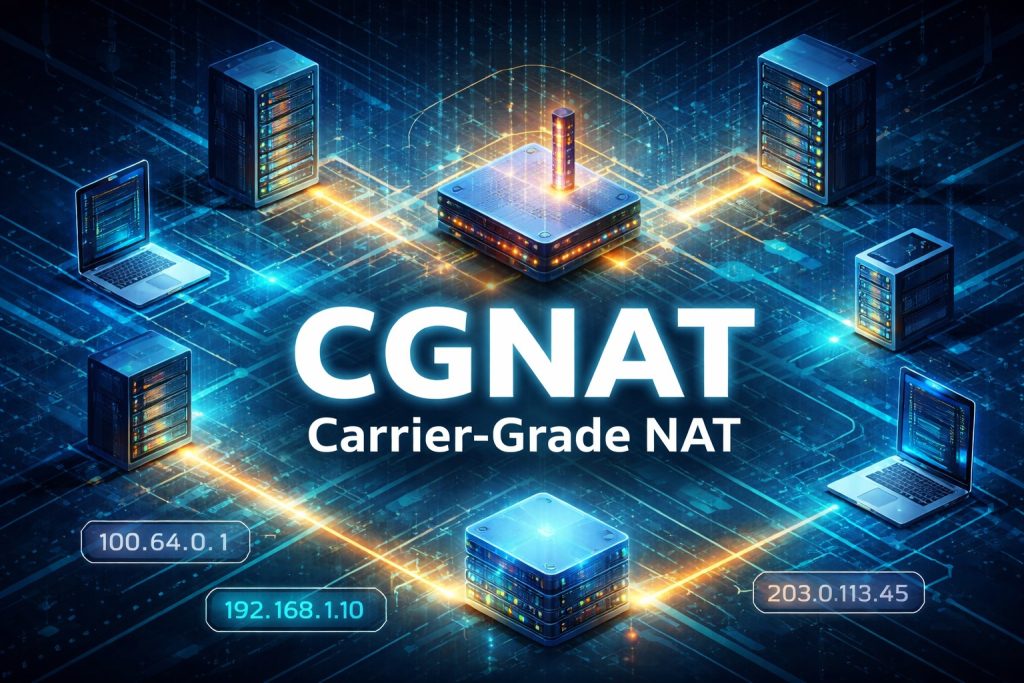
CGNAT (Carrier-Grade Network Address Translation) is a large-scale NAT system operated by ISPs that allows many subscribers to share a limited pool of public IPv4 addresses.
Unlike home NAT:
- You do not control it
- You cannot configure it
- You cannot port-forward through it
- You share identity with strangers
Simple Definition
CGNAT is NAT performed inside the ISP network, after your own router has already performed NAT.
Why CGNAT Became Inevitable (With Numbers)
IPv4 Reality Check
- Total IPv4 addresses: ~4.3 billion
- Usable after reservations: far less
- Devices online today: tens of billions
ISP Math Example
Assume:
- ISP has 1 million customers
- ISP owns 50,000 public IPv4 addresses
Without CGNAT:
- 950,000 customers get nothing
With CGNAT:
- Each public IP is shared by ~20 users (or more)
CGNAT is not optional — it is survival math.
How CGNAT Works (Concrete Packet Example)
Step-by-Step Example: Opening a Website
User Device
Laptop IP: 192.168.1.10Home Router NAT
192.168.1.10:51543 → 100.72.14.22:40001ISP CGNAT Gateway
100.72.14.22:40001 → 203.0.113.45:62011Website Sees
Client IP: 203.0.113.45
Client Port: 62011
Now imagine 2,000 users doing the same thing through that same public IP.
CGNAT Address Range (RFC 6598 – Explained Properly)
Reserved Range
100.64.0.0/10Expanded:
100.64.0.0 – 100.127.255.255Why This Range Exists
Before RFC 6598:
- ISPs abused private IPs internally
- Overlapping private ranges caused routing nightmares
- Customer VPNs broke constantly
RFC 6598 created a dedicated ISP-only gray zone.
Is CGNAT Public or Private? (With Real Meaning)
This is where many engineers get it wrong.
Classification Table
| Attribute | CGNAT |
|---|---|
| RFC1918 Private | ❌ No |
| Globally Routable | ❌ No |
| ISP Internal | ✅ Yes |
| Internet-Visible | ❌ No |
| Shared | ✅ Yes |
Practical Meaning
- You cannot reach a CGNAT IP from the internet
- You cannot trust it for identity
- It exists only inside ISP infrastructure
Real-World Detection Example
Scenario: “Why is port forwarding not working?”
You log into your router and see:
WAN IP: 100.75.221.18You check an external site:
Public IP: 203.0.113.45Conclusion:
You are behind CGNAT.
Port forwarding will never work, no matter how perfect your config is.
Port Allocation: The Hidden Constraint
Why Ports Matter
Each IPv4 address has:
65,535 TCP/UDP portsIf 2,000 users share one IP:
65,535 ÷ 2,000 ≈ 32 ports per userISPs therefore:
- Allocate port blocks dynamically
- Reclaim aggressively
- Enforce session limits
Example: Port Exhaustion Failure
Scenario: Heavy Torrent + Browser + VPN
User opens:
- Torrent client (hundreds of connections)
- Browser tabs
- Video streaming
Result:
- Ports exhausted at CGNAT
- New connections fail
- Websites randomly stop loading
User thinks:
“Internet is unstable”
Reality:
CGNAT session limit hit
CGNAT vs Traditional NAT (Deep Comparison)
| Feature | Home NAT | CGNAT |
|---|---|---|
| Owner | You | ISP |
| Users | 1 household | Thousands |
| Logs | Rare | Mandatory |
| Legal traceability | Easy | Complex |
| Port control | Full | None |
| Hosting servers | Possible | Impossible |
Legal & Forensic Implications (Very Important)
Example: Abuse Complaint
A website logs:
203.0.113.45 at 14:03 UTCISP must identify:
- Which subscriber
- Which port
- At exact timestamp
Without port-level logs, attribution is impossible.
This is why CGNAT logging systems are:
- Massive
- Expensive
- Retention-heavy
CGNAT and IP Reputation (False Guilt Example)
Scenario
One user behind CGNAT:
- Spams
- Scans
- Attacks
Result:
- Public IP gets blacklisted
- 500 innocent users blocked
This is why IP-based bans are obsolete in 2026.
VPNs and CGNAT (Why Inbound Breaks)
Inbound VPN (Fails)
Internet → CGNAT → ??? → YouNo static mapping = no connection.
Outbound VPN (Works)
You → VPN Server → InternetThis is why:
- WireGuard
- Tailscale
- ZeroTier
- Reverse SSH tunnels
work well behind CGNAT.
Gaming Example: “Strict NAT”
Games require:
- Peer discovery
- Incoming packets
Behind CGNAT:
- No inbound mapping
- NAT traversal fails
Result:
- Strict NAT
- Limited matchmaking
- High latency relays
Hosting Services Behind CGNAT (Why It’s Impossible)
Attempting to Host a Web Server
You configure:
Port 80 → Internal IPBut:
- ISP NAT has no idea who you are
- No persistent mapping exists
Only solutions:
- Buy static public IPv4
- Use IPv6
- Reverse proxy via cloud
- Tunnel traffic outward
CGNAT + IPv6 (How ISPs Really Deploy It)
Most modern ISPs use:
IPv6 (native, public)
IPv4 (CGNAT fallback)
Example
- Website supports IPv6 → direct connection
- IPv4-only site → CGNAT
This hybrid model reduces:
- NAT load
- Logging pressure
- IPv4 dependency
CGNAT in Cloud Platforms (Hidden but Real)
AWS NAT Gateway Example
- Thousands of EC2 instances
- Limited public IPs
- Port-based translation
Same problems:
- SNAT exhaustion
- Per-destination limits
- Logging requirements
CGNAT is not just an ISP problem.
Design Rules for Sysadmins & Architects
Rule 1: Never Trust IPs Alone
Use:
- Auth tokens
- Certificates
- Application identity
Rule 2: Log Ports
IP without port is meaningless.
Rule 3: Assume NAT Everywhere
Even “public cloud” uses NAT internally.
Rule 4: Prefer IPv6
End-to-end connectivity is restored.
Quick CGNAT Troubleshooting Checklist
- WAN IP in
100.64.0.0/10? - Public IP mismatch?
- Port forwarding ignored?
- Random connection drops?
- Shared IP reputation issues?
If yes → CGNAT.
Final Thoughts
CGNAT is:
- A technical compromise
- A legal headache
- A debugging nightmare
- A necessary evil
But for sysadmins and network engineers, it must be understood, not cursed.
Those who understand CGNAT:
- Debug faster
- Design smarter
- Avoid false conclusions
- Build future-proof systems
CGNAT is not the future.
IPv6 is.
But until then, CGNAT is the battlefield you are already standing on.