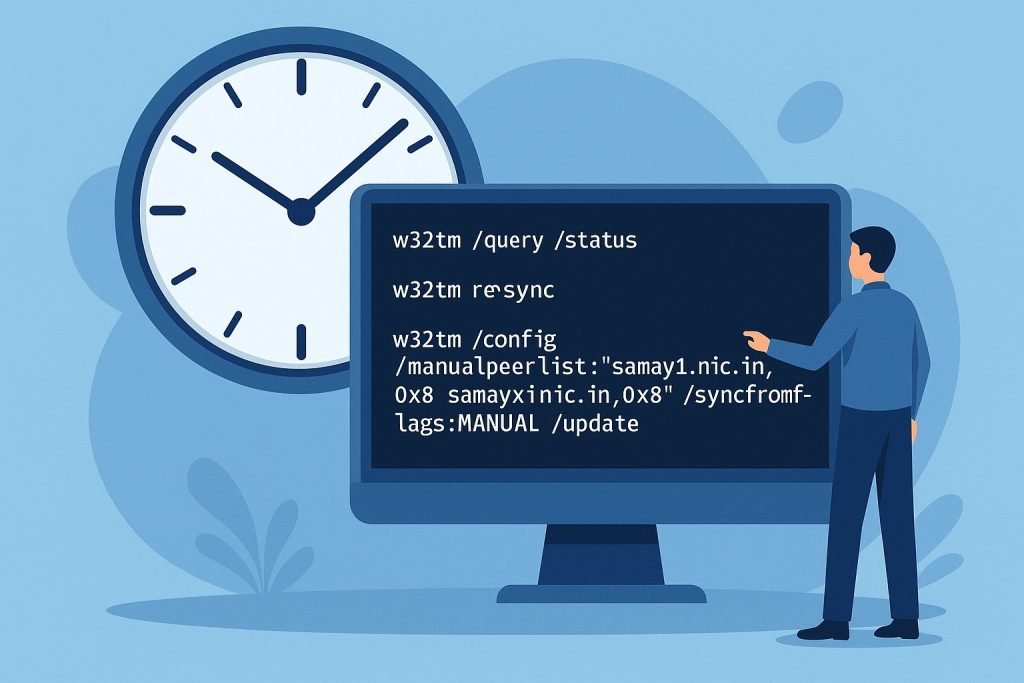

Time synchronization is one of the most overlooked yet critical services in IT infrastructure. Accurate system clocks are essential for:
- Authentication: Kerberos in Active Directory fails if clocks differ by more than 5 minutes.
- Logging & Auditing: Event logs, SIEM tools, and forensic analysis depend on aligned timestamps.
- Transactions & Compliance: Banking, stock trading, and government IT systems require accurate timing.
- Network Security: SSL/TLS certificates, DNSSEC, and time-sensitive security tokens depend on proper time.
On Windows, the Windows Time Service (W32Time) is controlled and configured via the w32tm command-line tool.
This guide covers everything about w32tm, why it matters, and step-by-step examples for all use cases.
Why use samay1.nic.in and samay2.nic.in?
In India, the National Informatics Centre (NIC) operates two authoritative public NTP servers:
- samay1.nic.in
- samay2.nic.in
These servers are trusted sources, maintained by the Government of India, and ideal for organizations that must comply with Indian regulatory standards.
Key Commands in w32tm
The w32tm tool is structured into subcommands. Here’s the breakdown with usage examples.
1. Querying Time Information
A. Current Status
w32tm /query /statusShows stratum, source, last sync, and offset.
Use when: You want to confirm whether the system is synchronized.
B. Current Source
w32tm /query /sourceShows the server you are currently syncing with (e.g., samay1.nic.in).
Use when: Verifying active sync source.
C. Full Configuration
w32tm /query /configuration /verboseLists registry settings and Group Policy applied.
Use when: Debugging why a server is not using your expected NTP configuration.
D. List Configured Peers
w32tm /query /peersDisplays NTP servers being used (samay1.nic.in, samay2.nic.in) with flags.
Use when: Checking if peers are correctly configured.
2. Configuring NTP Servers
A. Stand-alone Server (Workgroup)
w32tm /config /manualpeerlist:"samay1.nic.in,0x8 samay2.nic.in,0x8" /syncfromflags:MANUAL /updateUse when: Setting up a single server or workgroup machine to sync from official Indian NTP servers.
B. Domain Member
w32tm /config /syncfromflags:DOMHIER /updateUse when: Ensuring domain members sync from their domain controllers (not directly from the internet).
C. PDC Emulator (Domain Controller)
w32tm /config /manualpeerlist:"samay1.nic.in,0x8 samay2.nic.in,0x8" /syncfromflags:MANUAL /reliable:YES /update
w32tm /resync /rediscover
Use when: Configuring the PDC Emulator in the forest root domain to act as the reliable source.
D. Advanced Config (Spike detection, Local Dispersion)
w32tm /config /localclockdispersion:10 /largephaseoffset:300000 /updateUse when: Fine-tuning spike detection and accuracy assumptions.
3. Forcing Synchronization
A. Sync Immediately
w32tm /resyncUse when: Forcing immediate sync to your configured peer.
B. Rediscover Peers
w32tm /resync /rediscoverUse when: After changing domain controllers or network topology.
C. Remote Sync
w32tm /resync /computer:SERVER01Use when: Remotely resyncing a machine.
4. Measuring Offset
A. Quick Offset Test
w32tm /stripchart /computer:samay1.nic.in /dataonly /samples:5Use when: Checking drift in seconds between your machine and samay1.nic.in.
B. Packet Analysis
w32tm /stripchart /computer:samay2.nic.in /packetinfo /samples:3Use when: Diagnosing deeper NTP packet behavior.
C. Continuous Sampling
w32tm /stripchart /computer:samay1.nic.in /period:1 /samples:30 /dataonlyUse when: Monitoring drift trends over short intervals.
5. Monitoring Multiple Machines
A. Scan Domain
w32tm /monitorB. Monitor Specific Servers
w32tm /monitor /computers:DC01,APP01,DB01 /threads:5Use when: Checking offsets across multiple servers simultaneously.
6. Service Lifecycle Management
A. Recreate Service Defaults
w32tm /unregister
w32tm /register
net start w32time
Use when: Repairing a corrupted Windows Time service.
B. Apply Changes Immediately
Always append:
/updateUse when: Applying config changes without restarting the service.
7. Time-Zone Information
Example
w32tm /tzUse when: Checking system time-zone settings.
8. Registry and Debugging
A. Dump Registry
w32tm /dumpreg /subkey:ParametersB. Enable Debugging
w32tm /debug /enable /file:"C:\Temp\w32time.log" /size:1048576 /entries:0-300Later disable with:
w32tm /debug /disableUse when: Troubleshooting intermittent sync failures.
9. Conversions
A. NT Time to Human Readable
w32tm /ntte 0x01DCE27C23B68000B. NTP Time to Human Readable
w32tm /ntpte 0xE4D3D5C012345678Use when: Analyzing raw logs or packet captures.
10. Leap Second Information
w32tm /leapseconds /getstatus /verboseUse when: Checking leap-second table status.
Real-World Usage Scenarios
Scenario 1: Stand-alone server in India
w32tm /config /manualpeerlist:"samay1.nic.in,0x8 samay2.nic.in,0x8" /syncfromflags:MANUAL /update
w32tm /resync
Scenario 2: Active Directory setup
- On PDC Emulator:
w32tm /config /manualpeerlist:"samay1.nic.in,0x8 samay2.nic.in,0x8" /syncfromflags:MANUAL /reliable:YES /update
w32tm /resync /rediscover- On other DCs and members:
w32tm /config /syncfromflags:DOMHIER /update
w32tm /resync /rediscover
Scenario 3: Troubleshooting offset
w32tm /stripchart /computer:samay1.nic.in /samples:30 /period:1 /dataonlyBest Practices
- Use samay1.nic.in and samay2.nic.in as your primary time servers in India.
- Configure only the PDC Emulator with external NTP; domain members should use domain hierarchy.
- Always configure at least two peers.
- Regularly validate sync using
/query /statusand/stripchart. - Enable logging when investigating long-term drift issues.
Conclusion
The w32tm utility is a Swiss Army knife for time synchronization on Windows. By correctly configuring it with India’s official NIC servers (samay1.nic.in and samay2.nic.in), you ensure secure, reliable, and regulation-compliant time synchronization across your infrastructure.
Whether you’re managing a single PC or a large Active Directory forest, these commands cover every possible scenario for keeping your clocks accurate.